
Planning your schedule
By choosing the type of days you want to schedule, you can specify the desired dates for the selected event.
To do this, you need to select the day (or days) that interest you:
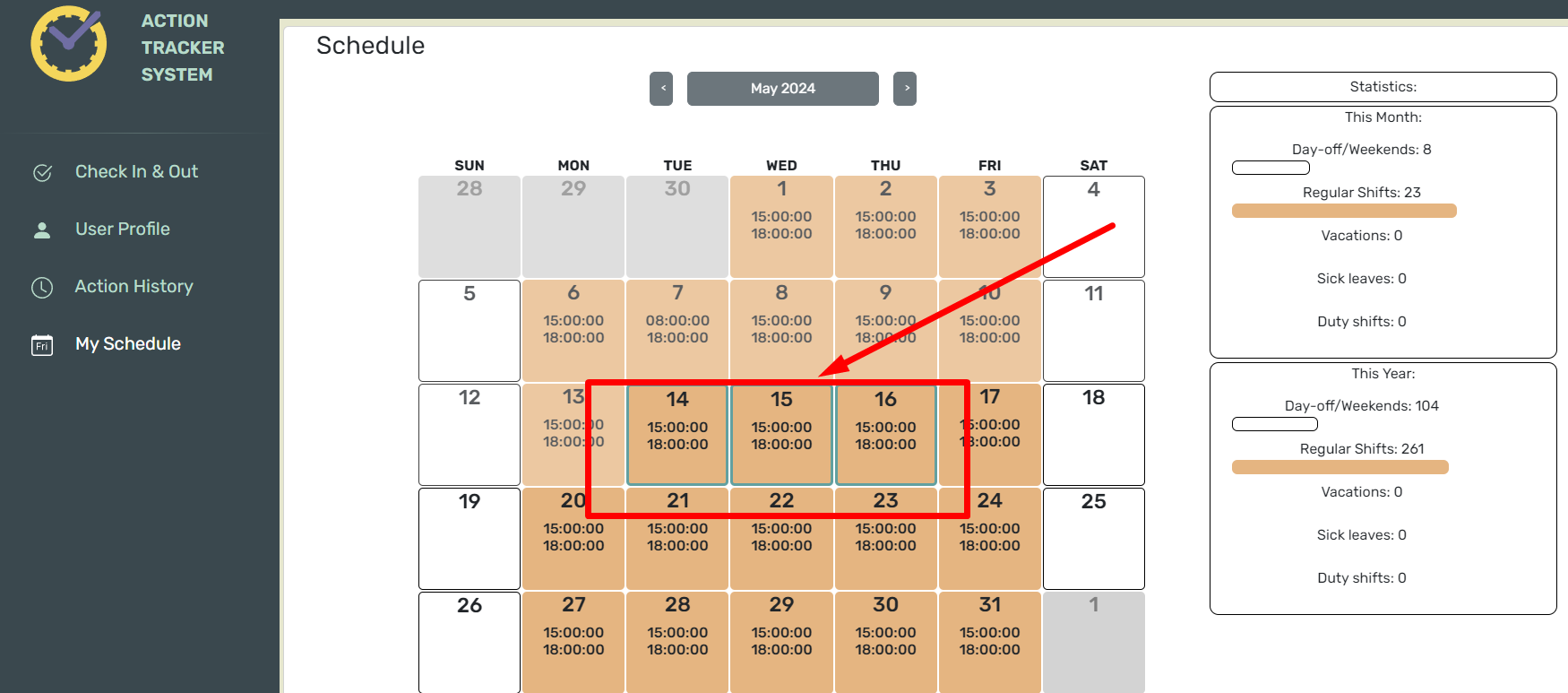
After that, an editing window for the schedule will open in front of you:
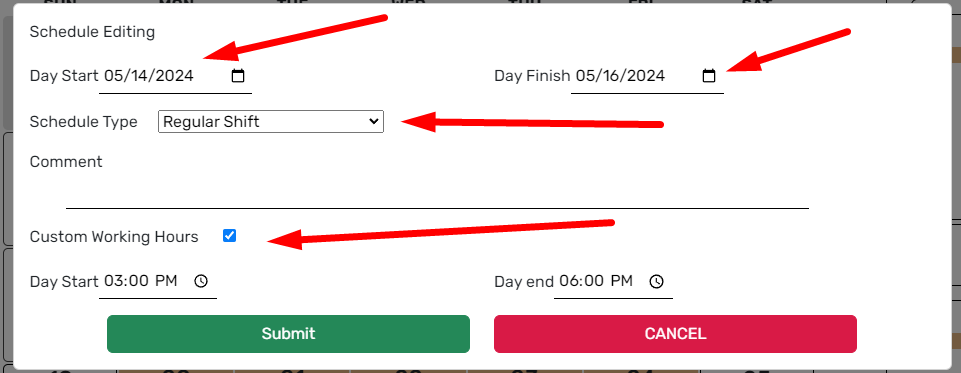
ВIn этомthis окнеwindow, выyou можете:can:
- выбратьselect дниthe дляdays внесенияfor определенногоapplying типаa графикаspecific занятостиtype of work schedule,
- choose the type of work schedule,
- leave a comment, if necessary (it will be visible to your supervisor),
-specify выбратьa типnon-standard графикаwork занятости,
- оставить комментарий, если это необходимоschedule (онif будетit виденinvolves вашемуa руководителю),
-shift указатьor нестандартныйif рабочийyou графикhave (еслиagreed речьon идетsuch оa дежурнойschedule смене,with либо,your если вы согласовали такой график с вашим руководителем)supervisor).
Before sending the chart to the manager for approval, you can specify the dates of different events. Each color on the calendar corresponds to an event.

To complete and save the added events, click “Submit”.
To cancel the changes, press “Cancel”.
After you save the changes, you will be notified that you need to receive approval from your manager.

The statistics will display the number of selected days for each event.